Using STQRY Signage
Location programs
- Explain what a location program is and which customers need one
- Describe zones, triggers and manual cues and how they interact
- Explain how a display gets its position, including serving it from one device to others
- Say what location programs don't do yet

What is a location program?
- Content follows the display's position
- Built for boats, buses, trains and shuttles
- Needs Signage - Standard
Zones, triggers and cues
Zones cover an area
- Polygons or circles on the map
- Each plays a playlist, a media item or a live map
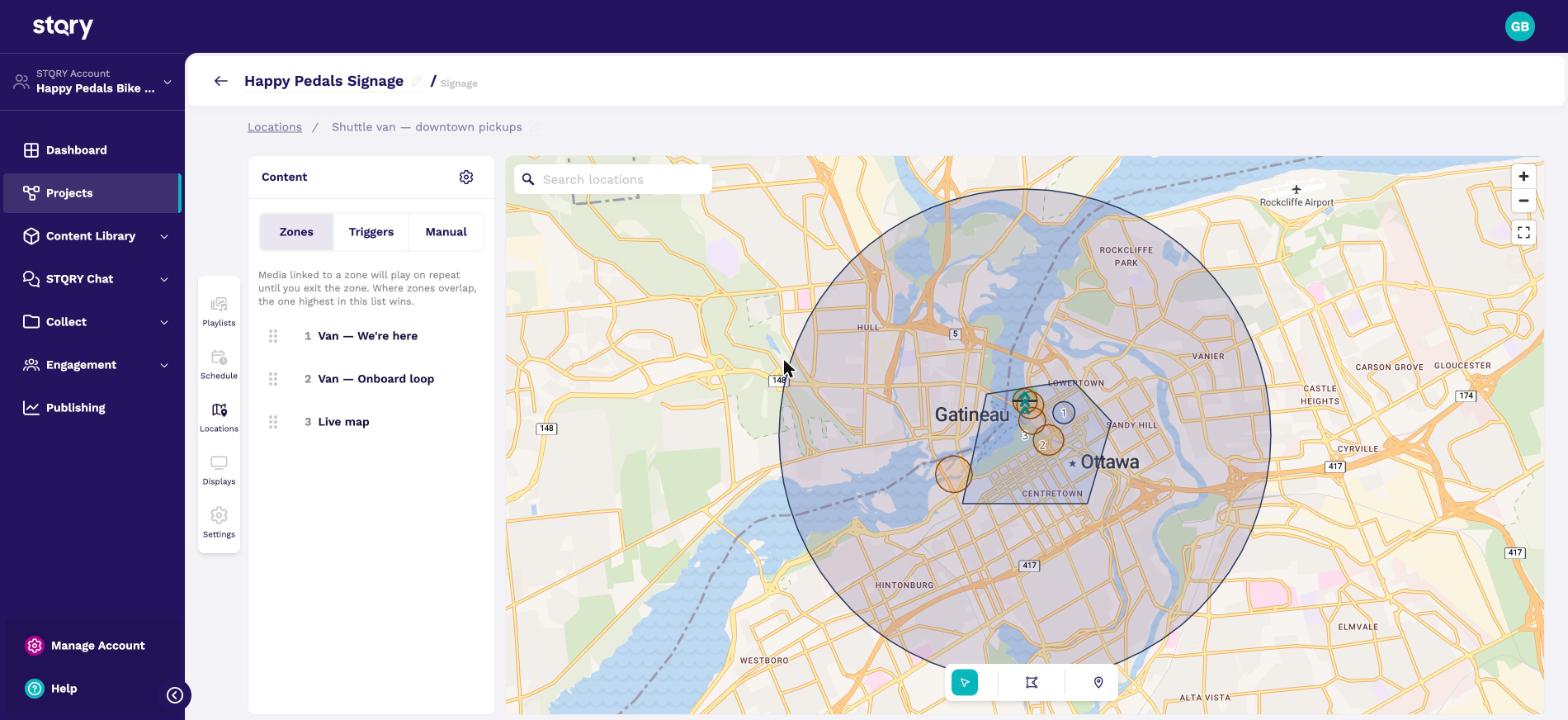
Which zone plays when zones overlap?
- The one highest in the list wins
- Specific zones go above general ones
- Outside every zone, the display goes blank
Triggers fire at a point
- A point with a radius
- Fires once per pass, then a cooldown
- A fence bearing makes it one-way
Will a coach catch this trigger?
- 60 km/h, the coach's speed
- 50 m trigger radius
- 10 s between positions
Most of the time, it won't.
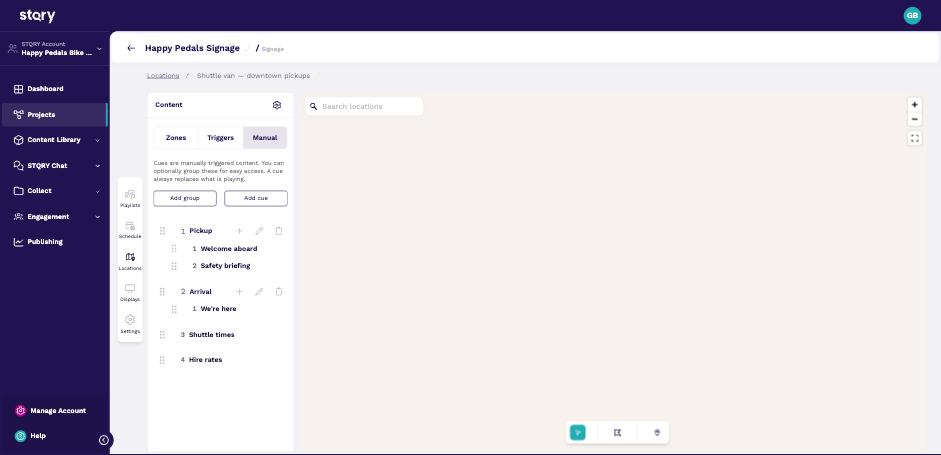
Buttons for the driver
- Cues for moments with no fixed place
- The driver's tablet runs in Controller mode
- Players poll it for cues
How does a display know where it is?
| Location source | For |
|---|---|
| On device | Phones and tablets with GPS |
| Poll a server | Fire TV, Windows |
| None | The default, so the display stays black |
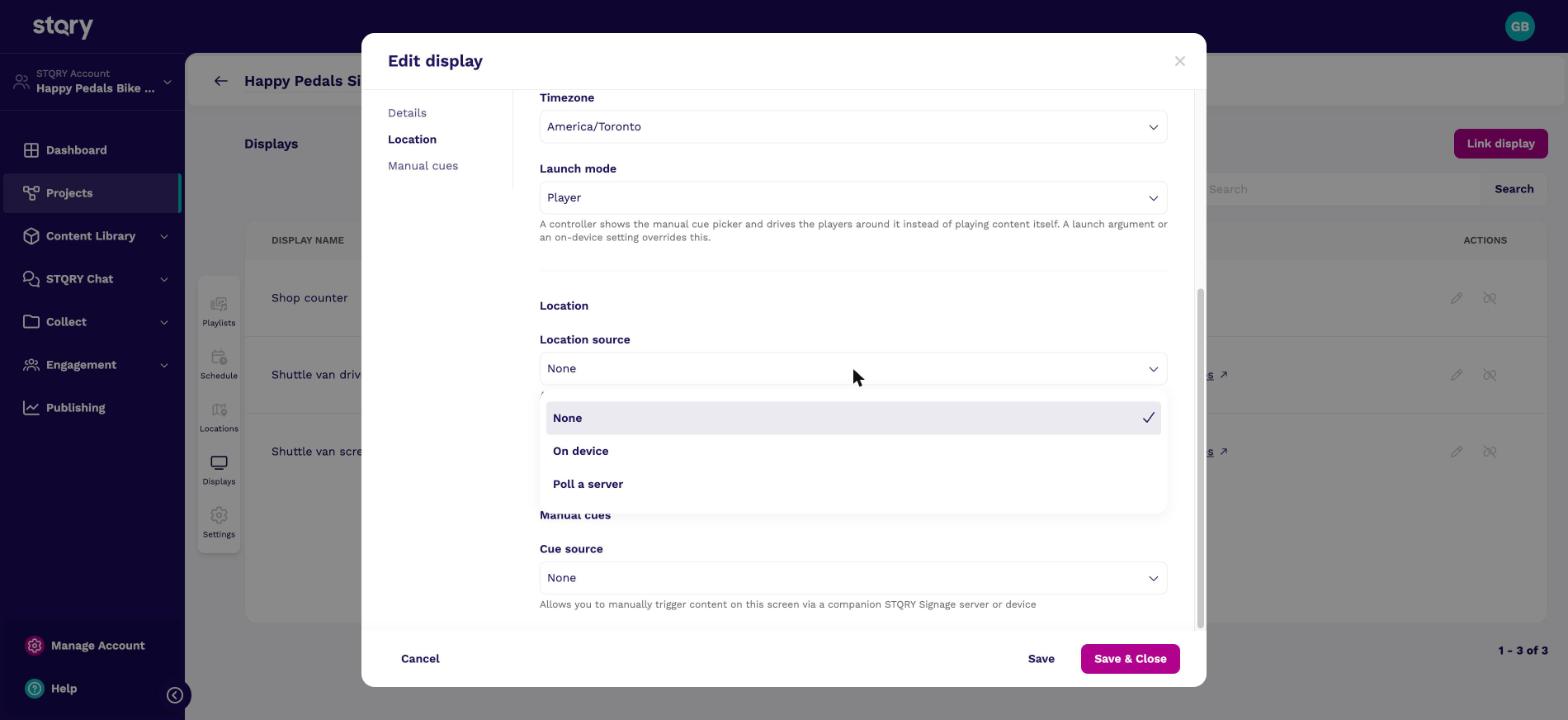
One GPS tablet serves the whole vehicle
Check your understanding
- How do four Fire TV Sticks on a coach get a position?
- A new vehicle display is black, with no message. What do you check first?
- Can passengers hear landmark commentary on their own phones?
- Fire TV Sticks have no GPS. Put one tablet with GPS on board and turn on Serve this position to other displays. Set each stick's location source to Poll a server, pointed at the tablet.
- The display's Location source. It defaults to None, which leaves the display silent and black. Then check the display isn't outside every zone.
- Not yet. The audio companion doesn't follow location programs. Triggers can play commentary through the vessel's own displays and speakers today.
Connecting People, Places and Stories.