Using STQRY Signage
Troubleshooting a display
- Gather the three facts that narrow down any display problem
- Read Builder's status badges and the display's own messages
- Use the on-device settings overlay to check and reload a display
- Work out why a display is black, or why a change hasn't appeared

Where do you start?
- What does the display say?
- What does Builder say?
- What does Diagnostics say?
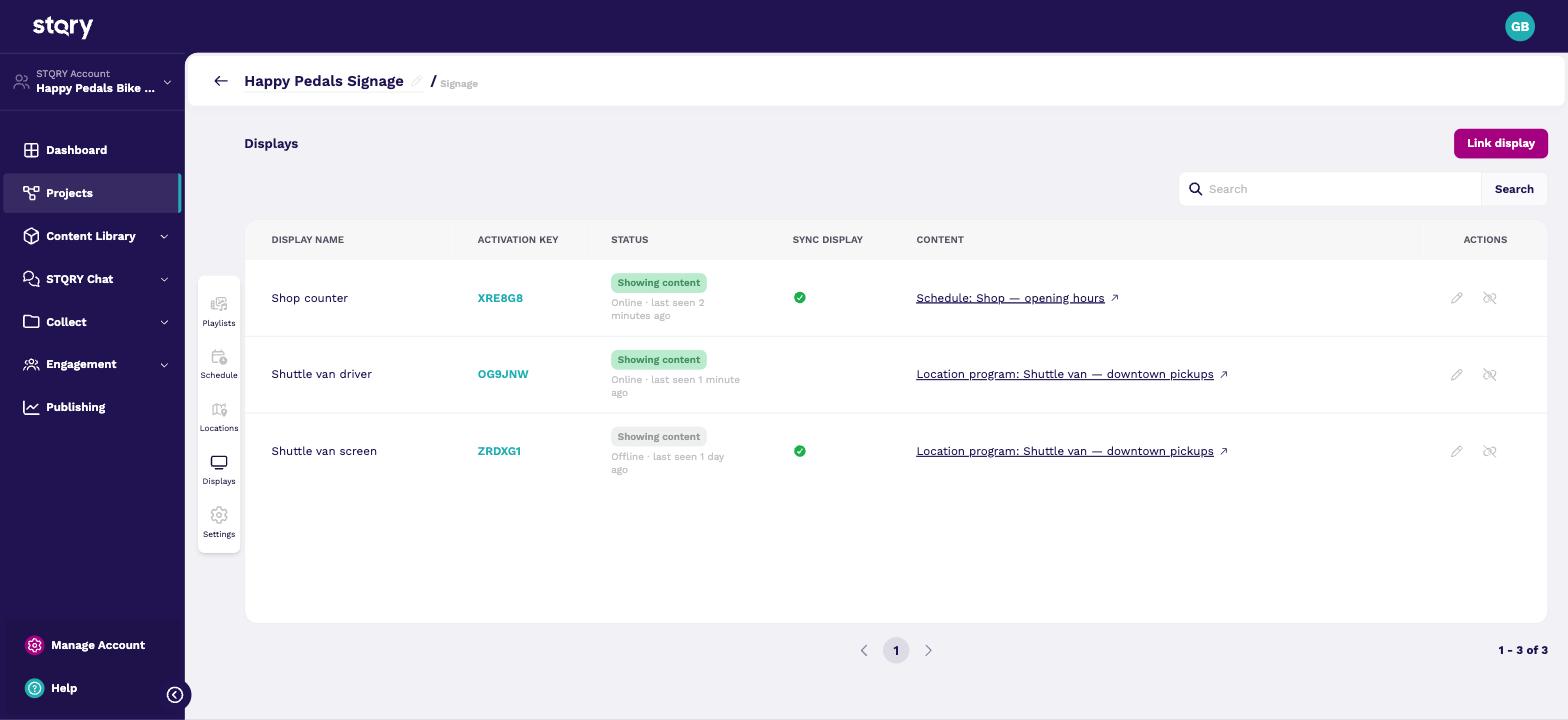
What is Builder's badge telling you?
| Badge | Means |
|---|---|
| Showing content | Something playable is assigned |
| No content | Nothing assigned, or empty |
| Awaiting project | Adopted, no project yet |
| Not connected | Never checked in |
Two numbers worth remembering
- 2 hours with no contact, and a display shows Offline
- 5 min between a playing display's checks for changes
What is the display telling you?
| Message | Usually means |
|---|---|
| "This display is connected — waiting for content" | No project yet |
| "Display has no running playlists" | Nothing to play now |
| "Waiting for a location fix" | No position yet |
| "Display with activation key … does not exist" | Wrong region |
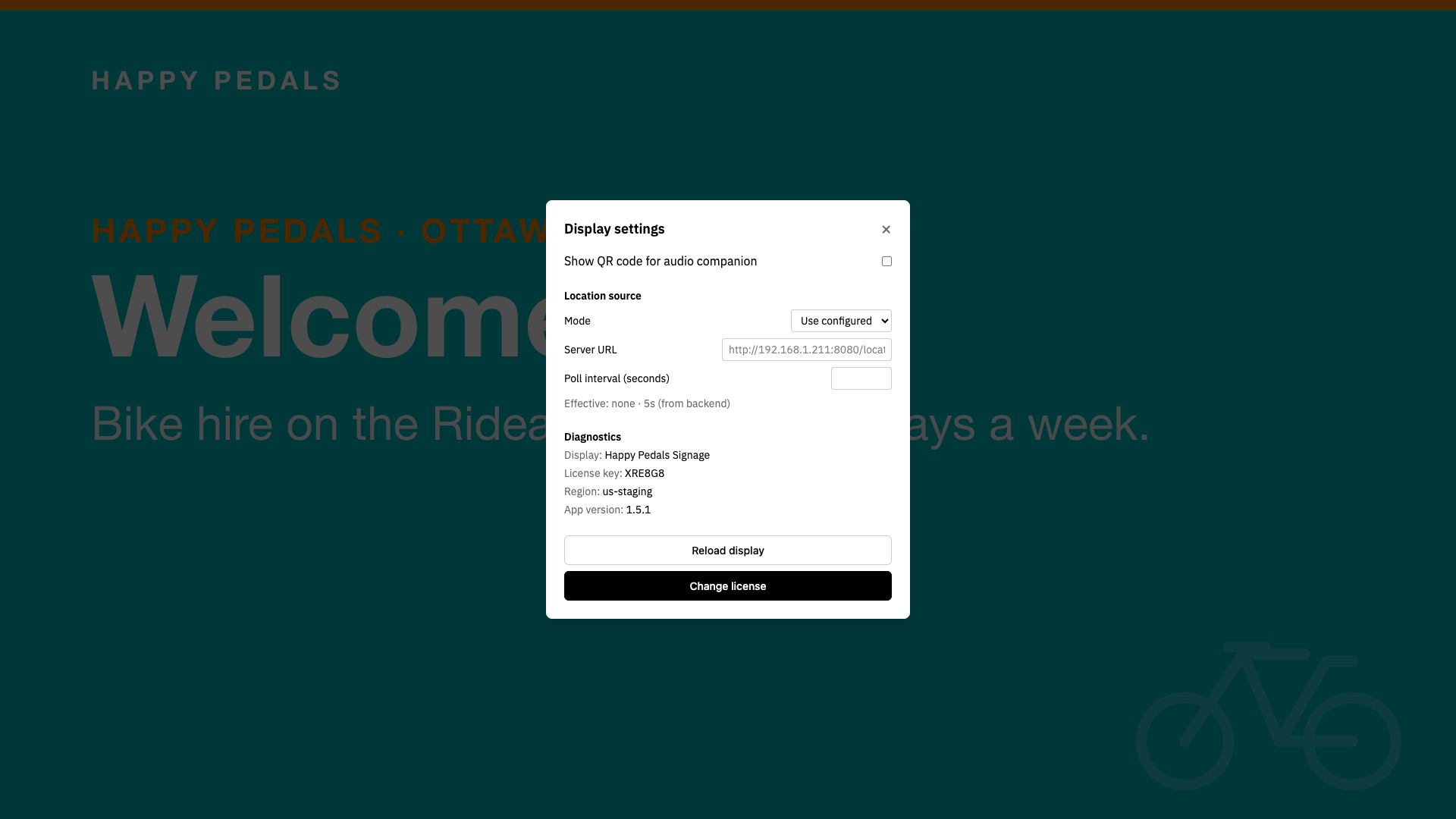
How do you check the display itself?
- Open the settings overlay
- Diagnostics confirms the record
- Reload display fetches the latest
The display is black
Why hasn't a change shown up?
- Wait five minutes
- Press Reload display
- Check the display is online
- Check the change was saved
Before you pass it to support
- Display name and activation key
- Region, app version, platform
- A photo of the display
- Builder's badge and last-seen time
- What was expected, and since when
A photo of the display beats a long description.
Check your understanding
- Builder shows a display as offline, but it's playing. What's wrong?
- Where do you find a display's app version?
- A shop display shows the right content but not today's changes. What are your next two steps?
- Its network. The display is running from its cache, which is how it's meant to behave. Check its Wi-Fi or wired connection, and any proxy filtering
*.stqry.com. - In the settings overlay, under Diagnostics. Quote it whenever you escalate.
- Wait five minutes or press Reload display. If that doesn't bring the change in, check the display is online and that the change was saved.
Connecting People, Places and Stories.